
Stage 1 · Define the decision and the reader
A brief is a delivery vehicle for one decision. Write the decision first, then the question that feeds it, then the person who has to act on the answer. The question has to be answerable by documents that exist: “Which image formats and upload limits should this site follow for its own pages and for the previews it publishes on other platforms?” can be closed with a handful of published specifications. “Research image optimisation” cannot, and a brief written against it will grow until it is abandoned.
Fix the shape of the acceptable answer as well. For the example in this workflow the acceptable output is a short rule per destination, each rule carrying a limit and a fallback, plus a list of what could not be established. Deciding that in advance is what keeps the register finite. A brief that promises a rule, a limit and a fallback can be finished; one that promises understanding cannot be checked by anyone.
Write the reader down by role, not by name, and record what they will do with the answer in the first hour after reading it. That single line decides how much background the brief has to carry and how much of it can be moved into an appendix. If two readers need different actions, that is two briefs, not one with a longer middle.
Stage 2 · Build the source register before reading
The register is opened before the first document is read and it is the only artefact that survives every later revision. Five fields are enough to make a source findable again: title, publisher, the date the document itself shows, a URL or file name, and any access restriction. Use public or permitted material only; a document that cannot be quoted in the brief is not a source for the brief, however convenient it is to summarise.
The example register below was built on 14 September 2026 for the question in stage 1. Six of the seven pages carried no publication or last-modified date in the captured copy, so the register records the accessed date instead of inventing one. An absent date is a fact about the source, and it belongs in the row.
| Id | Title | Publisher | Date shown | Location | Access restriction | Accessed |
|---|---|---|---|---|---|---|
| R1 | Image file type and format guide | MDN Web Docs | No date shown in the captured page | developer.mozilla.org/en-US/docs/Web/Media/Guides/Formats/Image_types | Public | 2026-09-14 |
| R2 | <img>: The Image Embed element | MDN Web Docs | No date shown in the captured page | developer.mozilla.org/en-US/docs/Web/HTML/Reference/Elements/img | Public | 2026-09-14 |
| R3 | Responsive images | MDN Web Docs | No date shown in the captured page | developer.mozilla.org/en-US/docs/Web/HTML/Guides/Responsive_images | Public | 2026-09-14 |
| R4 | Add custom thumbnails | YouTube Help (Google) | No date shown in the captured page | support.google.com/youtube/answer/72431 | Public | 2026-09-14 |
| R5 | Pinterest product specs | Pinterest Business Help | No date shown in the captured page | help.pinterest.com/en/business/article/pinterest-product-specs | Public | 2026-09-14 |
| R6 | Recommended practices for attribution | Creative Commons | No date shown in the captured page | wiki.creativecommons.org/wiki/Recommended_practices_for_attribution | Public | 2026-09-14 |
| R7 | Common Format and MIME Type for Comma-Separated Values (CSV) Files | IETF, RFC 4180 | October 2005 | rfc-editor.org/rfc/rfc4180.html | Public | 2026-09-14 |
Dates in the register are written in one format throughout, because a register that mixes “last week” with “2026-09-14” cannot be sorted or re-checked. The Internet timestamp format described in RFC 3339: “a date and time format for use in Internet protocols that is a profile of the ISO 8601 standard for representation of dates and times using the Gregorian calendar”, is the convention used here: an accessed date is recorded as a calendar date with its offset, so a reader in another time zone can reproduce the check.
Stage 3 · Extract claim by claim
Work through one source at a time and write the extraction on its own sheet. Five things go down per source: the claims it makes, the definitions it relies on, the scope it covers, the limits it states, and the exact location of each of those: a heading, a table row, a section number. A claim without a location is not usable in a brief, because the reviewer cannot re-read it.
Separate two kinds of sentence while extracting. A publisher assertion is what the document says on its own authority. A document-established fact is something the reader can check directly in the document: a figure in a table, a limit in a specification, a quoted legal line. The distinction matters at stage 6: assertions may be reported as assertions, but a fact that a reader can check should be quoted where it was found rather than paraphrased.
Extraction from the example register produced sentences of both kinds. R4 states a limit that a reader can check: “Remain under MB limits … Mobile: 2 MB for video thumbnails or 10 MB for podcasts. Desktop: 50MB for video, Shorts, and podcast thumbnails.” R1 states a preference rather than a number: “WebP offers much better compression than PNG or JPEG with support for higher color depths, animated frames, transparency etc.” The first can go into the brief as a limit; the second has to be carried with its qualifier, because it is a comparison without a setting attached.
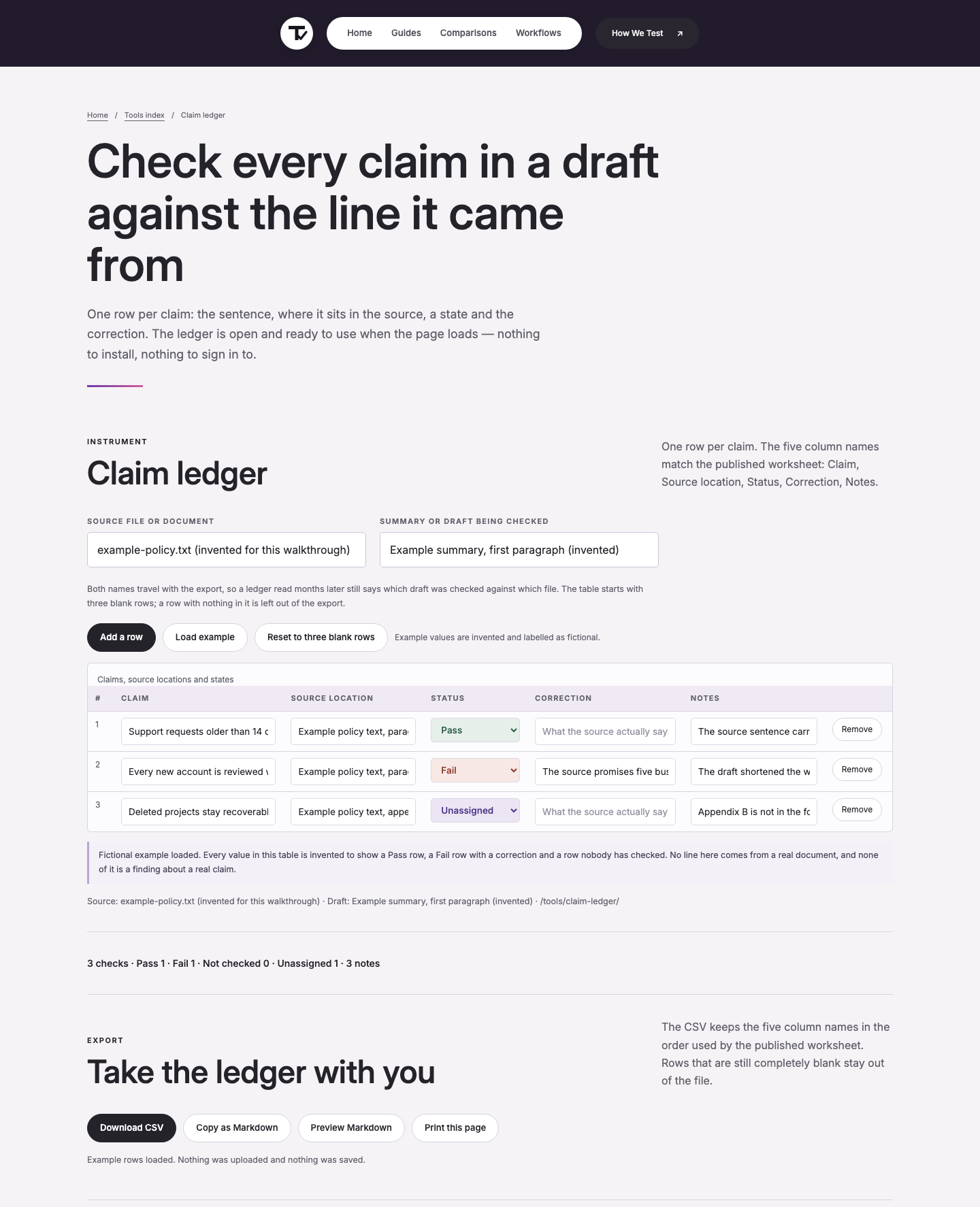
A generated citation is not extraction. If a model produces the reference, the source still has to be opened and the passage read; the model cannot be the witness that a sentence exists. The claim ledger below holds the output of this stage: one row per claim, with Claim, Source location, Status, Correction and Notes. Mark status as Pass, Fail or Not checked against the source, and leave a row Unassigned while nobody has read it, the claim ledger tool runs that comparison in the browser and exports the rows as CSV.
Stage 4 · Resolve or retain disagreements
Two sources that look contradictory usually disagree about scope rather than about facts. Build a comparison sheet with one row per conflicting claim and four columns: the claim, the document it came from, the date of that document, and the population or setting it applies to. Check those four before deciding that anything is actually in conflict.
Two real disagreements came out of this register. The first is internal to R1: the WebP row says WebP “offers much better compression than PNG or JPEG”, while the AVIF row describes AVIF as offering “much better compression than PNG or JPEG” and the WebP row adds that “AVIF offers slightly better compression, but is not quite as well-supported in browsers and does not support progressive rendering.” The two rows differ in emphasis about the size of the gap between WebP and AVIF, and neither names a quality setting. The brief does not average them. It keeps both quotations and adds this site's own measurement from 14 September 2026: the same 1200 × 630 photograph exported at 12,808 bytes as WebP at quality 82 and at 6,613 bytes as AVIF at quality 63. The claim that survives is “bytes at a named setting”, not “smaller format”.
The second disagreement is between R4 and R1. YouTube's thumbnail guidance asks for files “in image formats such as JPG or PNG”, while R1 records broad browser support for WebP and AVIF. There is no contradiction once the scope is written down: R4 constrains what one upload pipeline accepts, R1 describes what browsers on a page you control can decode. Both rows stay in the register, each with its scope, and the brief states one rule per destination rather than one global format.
When a conflict cannot be closed (different definitions, different years, a source with no date) it stays in the brief as an open question with the rows that produced it. Smoothing it over is the one failure this stage exists to prevent.
Stage 5 · Draft around the answer
Write the brief in the reader's order, not the research order: the answer, the evidence behind it, the limits that qualify it, and the questions that remain open. Every material sentence carries the register id of the row behind it, so a reviewer can walk the draft backwards into the sources without reading the whole document set.
The example brief opens with the answer and one rule per destination. On pages this site controls: serve AVIF or WebP at the declared layout width, with a PNG or JPEG fallback, because R1 lists Chrome, Edge, Firefox, Opera and Safari as supporting both and R2 records that declared width and height let the browser reserve the right space before the file arrives. On YouTube thumbnails: export at 1280 × 720, keep the 16:9 ratio, and stay inside the upload limit that R4 gives as 2 MB on mobile and 50 MB on desktop. On Pinterest: export at 1000 × 1500 in PNG or JPEG and stay under the R5 limit of 20 MB on desktop and 32 MB in the app.
Then the qualifiers, each attached to its row: R4's file-type list means the format decision is not ours on that destination; R6's attribution guidance means a third-party asset needs Title, Author, Source and License before it can be published; R7 means any register exported as CSV has to quote fields that contain commas or line breaks. Nothing in the draft states a conclusion the register cannot reach, and the two sentences that are recommendations rather than findings are labelled as recommendations in the text.
Length is not the deliverable. Every additional paragraph has to change what the reader does or how they can check the answer, and anything that does neither moves to an appendix or out of the brief.
Stage 6 · Check claims, then check omissions
The claim ledger is the working surface for the first of the two checks. Go row by row, open the location recorded in the Source location column, and mark the row Pass, Fail or Not checked. A row that says Pass without a re-read is the most common way a brief loses its value, so the pass is a reading task, not a formality.
The second check is separate and works from the other direction: re-read the source documents' own headings and subheadings and ask what the brief has not mentioned. This is where a brief built section by section usually fails, because extraction follows the register and omission follows the document. In the example, the omission pass against R1 added the short note about SVG being a markup format, which the first draft had dropped because none of the register rows had raised it; the omission pass against R5 added the title character limit that never appears in a claim about image sizes.
Record the outcome of both passes in the same table as the claims. Rows that were not examined stay at Not checked, and rows nobody owns stay Unassigned; those two labels mean different things, and collapsing them hides the difference between “this was looked at and the source does not settle it” and “nobody has looked”. At the end of the two passes, the example register had six rows checked against their sources, one row still open, and two limits recorded as Not checked because the pages that would carry them (an editor's content licence agreement and a font redistribution page) returned HTTP 403 on 14 September 2026 and could not be read.
Stage 7 · Publish with its open questions
The brief ships with its register and its open-question list, as three files kept together. A reader who receives the prose alone cannot re-run the checks, and a register without the open questions will be read as complete. Name the files so the three travel as a set: the brief, the register and the open questions share one prefix and one date.
Two export details are worth fixing once. The register is exported as CSV, and per R7 that format requires fields containing commas, double quotes or line breaks to be enclosed in double quotes: so a claim quoted verbatim in the register is the case most likely to break a naive export. Dates go out in the RFC 3339 form from stage 2. Both conventions belong in the brief's method note, not in the reader's head.
Record the sources that could not be read as part of the publication, with the status code or the reason, and the date. An inaccessible source is a known gap; the same source left unmentioned looks like an oversight and will be re-investigated by the next person. When the decision context changes (a new destination, a new account tier, a changed limit) the brief is rewritten against the register rather than re-dated, because a changed date on unchanged findings is a claim that the checks were repeated when they were not.
What this workflow does not decide
This process organises published documents and the checks run against them. It does not settle an industry question, and it does not produce a recommendation that outranks a specialist. Where the register is thin, the brief says so rather than extrapolating.
It also produces no scores and no rankings. The output of stage 6 is a set of Pass, Fail, Not checked and Unassigned marks on individual claims; there is no aggregate figure to publish and none is computed. A brief is finished when its open questions are written down, not when its table is full.
Standards and provider pages used here
Every quotation below was read on the page named, on 14 September 2026. The export figures quoted in stage 4 come from one export pass run on this machine on the same date; they are measurements, not manufacturer claims.
- MDN Web Docs, Image file type and format guide (accessed 2026-09-14, source text: “WebP offers much better compression than PNG or JPEG with support for higher color depths, animated frames, transparency etc.” and “AVIF offers slightly better compression, but is not quite as well-supported in browsers and does not support progressive rendering.”)
- MDN Web Docs, <img>: The Image Embed element (accessed 2026-09-14, source text: “Including height and width enables the aspect ratio of the image to be calculated by the browser prior to the image being loaded.”)
- MDN Web Docs, Responsive images (accessed 2026-09-14, source text: “srcset attributes contain the path to the image to display.”)
- YouTube Help, Add custom thumbnails (accessed 2026-09-14, source text: “Be uploaded in image formats such as JPG or PNG. Remain under MB limits. Limits depend on the device you're using to upload your thumbnail: Mobile: 2 MB for video thumbnails or 10 MB for podcasts. Desktop: 50MB for video, Shorts, and podcast thumbnails.”)
- Pinterest Business Help, Pinterest product specs (accessed 2026-09-14, source text: “File type .PNG or .JPEG Max file size Desktop 20 MB, In-app 32 MB Aspect ratio We recommend using a 2:3 aspect ratio, or 1000 x 1500 pixels.”)
- Creative Commons, Recommended practices for attribution (accessed 2026-09-14, source text: “we recommend that the attribution include the Title, Author, Source, and License”)
- IETF, RFC 3339: Date and Time on the Internet: Timestamps (accessed 2026-09-14, source text: “This document defines a date and time format for use in Internet protocols that is a profile of the ISO 8601 standard for representation of dates and times using the Gregorian calendar.”)
- IETF, RFC 4180: Common Format and MIME Type for CSV Files (accessed 2026-09-14, source text: “This RFC documents the format used for Comma-Separated Values (CSV) files and registers the associated MIME type "text/csv".”)
Method: the register above was assembled by opening each page on 14 September 2026 and recording what it displayed; the byte figures come from one export pass on the same date, in which a 1200 × 630 JPEG (45,034 bytes) was exported at the same pixel dimensions as WebP quality 82 (12,808 bytes) and AVIF quality 63 (6,613 bytes) with Python 3.9.6 and Pillow 11.3.0 on macOS.
Not checked, and marked as such in stage 6: the editor content licence agreement and the font redistribution page both returned HTTP 403 when opened on 14 September 2026, so the asset and font licence rows of the register are empty rather than assumed. No page-level last-modified date was shown on six of the seven source pages, so the register carries access dates only.